Showing posts with label webgui. Show all posts

Tuesday, 19 January 2016

How-to: Configure Collector mode on a FortiAnalyzer

The FortiAnalyzer allows you to aggregate logs from multiple FortiGate firewalls giving you a central console to view logs, alerts and run reports for all the FortiGates in your organisation.

 Each FortiAnalyzer can only handle a certain number of logs per second, be it the hardware or VM models. If you have dozens, hundreds or even thousands of FortiGates it would not be feasible to have all these devices send their logs to one FortiAnalyzer. Good news is that FortiAnalyzers can be configured in a 'collector' mode and deployed regionally to take the burden from your Analyzer that is doing the reporting.

One advantage of this is that FortiAnalyzer VMs that have been configured as a collector have no GB per day limitation as their standard config does. This means you'll only need a FortiAnalyzer VM BASE license for each of the remote regions.

In this example I'll configure two FortiGates and FortiAnalyzers that have been configured in collector modes. This will simulate two regions for my organisation and the firewalls within each region. The collectors will then forward their logs to the global Analyzer from where I can run reports for the entire organisation.

The FortiGates are running 5.4.0 and the FortiAnalyzers 5.2.5.

Tuesday, 22 September 2015

FortiMail quarantine URL points to the wrong address

Today I was testing out the quarantine feature on the FortiMail and noticed something strange with the release link. The domain name that the link forwarded me to was doubling the hostname of the FortiMail.

For example, below is the quarantine email I received. I click on the 'Release' link to try and release the email:


Unfortunately the quarantine page doesn't load. Looking at the URL I can see that it's pointing to mail.mail.ingramlabs.com.au instead of mail.ingramlabs.com.au. The 'mail' hostname here has doubled up for some reason.

Monday, 7 September 2015

How-to: Configure a FortiAuthenticator to be used for admin RADIUS authentication, Single Sign On and as a Certificate Authority

In the post I'm going to go through the steps on how-to configure a FortiAuthenticator (FAUTH) from scratch so that it can serve as a RADIUS server for admin logins on a FortiGate (FGT), as the Single Sign On (SSO) service for a FortiGate and lastly as a Certificate Authority that will create a cert for a FortiGates admin GUI and to be used in the SSL proxy for deep packet inspection.

It's quite a long one so grab a coffee and get ready!

Tuesday, 1 September 2015

How-to: Configure a workflow in FortiManager to enforce change management policies

The FortiManager allows you to enforce change management policies so that while junior members are able to make configuration changes, they will not be applied until management approves them.

This blog will go through the steps on how-to set this up.

Friday, 28 August 2015

How-to: Configure a pre-login warning message on a FortiGate

By default when you login to a FortiGate there is no warning message. This blog will go through howto enable the banner and edit the default message to help scare away those baddies.

Wednesday, 3 December 2014

How-to: Change WebGUI HTTPS certificate on Fortinet devices

Below is a list of commands required to change the default HTTPS certificate that gets presented on the admin WebGUI.

For each of these examples I've already loaded a certificate called 'webgui-cert'. Change this value to match the certificate you import.

Wednesday, 23 July 2014

How-to: Change default policy columns on a FortiGate

When you log into a FortiGate and browse to the policies section you will see the pre-defined default policy columns which include seq#, source, destination, schedule, service, action, nat, av etc..


I normally go through and change the columns so that they are more compact. Generally this includes adding the 'policy ID' column, removing the schedules, replacing all the UTM columns with the 'security profiles' column and moving a few others around as per below:


Now this is all well and good, except for the fact that it will only save these columns for the computer and browser that I'm using. If I connect via another browser or from another device then the default columns will show up again.

Good news is that the default columns can all be changed with a setting to ensure that the columns you want to show up by default will, no matter which browser or computer you connect from.

Wednesday, 25 June 2014

How-to: Configure User Alias Options on a FortiMail

If your organisation is using aliases, it's generally a good idea to configure the 'User Alias Options' within the LDAP settings to ensure users only get one quarantine email for all their addresses, instead of one for each alias address.

To configure this, first edit the LDAP profile you've configured for your domain (found under Profile > LDAP) and expand the 'User Alias Options' section.

Ensure the tickbox has been enabled next-to 'User Alias Options', then configure your base DN, Bind DN and Bind password as normal. For the 'Alias member query' option use proxyAddresses=smtp:$m. Lastly untick the 'User group expansion in advance' box.

Your final configuration should look something like this:


To test this out click on the 'Test LDAP Query...' link near the top of the LDAP profile page. From here choose 'Alias' from the dropdown menu and type in your email address at the bottom. For the below example my normal email address is amouawad@wglab.com.au and my alias is allan@wglab.com.au.

Click on 'Test' and you should see the alias match!


Wednesday, 11 June 2014

FortiGate Web SSL VPN gives "Connection Exception" error when trying to RDP to a Windows PC

I've finished configuring a Web SSLVPN on my FortiGate and created a few RDP bookmarks to my internal PCs. As per below, the bookmarks were nothing special and just using the Java based RDP (not native).


When it came time to test this out however, I keep getting the following error:

Connection Exception: Connection to remote desktop failed, please check network connection or remote computer configuration


Luckily the fix is simple.

Tuesday, 10 June 2014

FortiWeb RADIUS authentication login failing

I'm currently rebuilding my FortiWeb VM in the lab and started the configuration from scratch.

One of the config steps I have for all my devices is to use RADIUS for the user authentication. For some reason though when I test the RADIUS server it keeps on giving me a timeout error.


Looking at my FortiAuthenticator I can see the request has come through and been authenticated correctly.


So what's going on here?

How-to: Configure a User Group using LDAP filters on a FortiAuthenticator

Recently I've been playing around with a FortiAuthenticator which turns out to have some very cool features. One thing I noticed while configuring my user groups, is that it relies on 'LDAP filters' to define your groups. What I couldn't find was an explanation regarding the format on which to configure these groups.


The administration guide has no information except that you need to use an 'LDAP filter' here... being an LDAP noob I tried to put the CN of my group as per below, but it didn't like it...

CN=fulladmin,OU=Groups,OU=Lab,DC=wglab,DC=com,DC=au


After searching for a while I've found some on-line articles on LDAP search queries and have found the below query to work. This will match all users in the 'Fulladmin' group.

(&(objectCategory=user)(memberOf=CN=fulladmin,OU=Groups,OU=lab,DC=wglab,DC=com,DC=au))


Monday, 19 May 2014

How-to: Seperate UTM security logs from traffic logs

With FortiOS 5.0 Fortinet had decided to consolidate all logs into the traffic log. This improves performance, and allows you to search for all logs (traffic and security) in the one screen.

While I can see the benefit and reasoning behind this, I prefer to have my security logs separated from my traffic ones since they are generally the kind that I would look through.

Thankfully Fortinet haven't disabled this feature and still allow you to configure the device to separate the security and traffic logs. We'll go through the steps required to enable this for each of the security profiles.

Wednesday, 5 March 2014

How-to: Configure SMS Two Factor Authentication on a FortiGate

A while ago I wrote a 'How-to' guide on the steps required to configure SMS Two Factor Authentication using a FortiAuthenticator and a FortiGate. This involved configuring the a SMS gateway on the FortiAuthenticator using HTTP and then getting the FortiGate to send authentication requests to it.

A little known fact is that the FortiGate can actually do two factor SMS authentication out of the box, all for free and with no licenses required! There's two ways of configuring the SMS authentication. Firstly with the prepaid FortiGuard SMS servers (preconfigured) and then with your own custom SMS server.

Ttoday I decided to test out this feature with my custom SMS server and initially struggled as there's no proper documentation on how it actually works, what it sends etc. Below are the steps I took and the bits of information that I gleamed during the configuration.

Friday, 10 January 2014

How-to: Automate FortiGate configuration backups

The FortiGates don't have any backup automation abilities out of the box. Generally you'd use a FortiManager for the config, backup and control of multiple FortiGates.

I've recently setup a lab with several FortiGates for testing and wanted a simple way of backing up the configs every day so I could always revert back to a previous day quickly.

You could just backup the config before making changes, but I wanted to automate this process. Below is a quick and dirty script to automate the config backup.

A few notes to begin with; this script requires a read only user to be created on each FortiGate that have the same password. These passwords are stored in the script itself; so while it never gets transmitted in cleartext over the link, be aware that it is stored in the file. Since this is a lab and it's a readonly account I'm not too fussed. Another thing to note is that the strict host check for the SSH keys has been disabled (so you don't get a confirmation request for new IP addresses). There is a more secure way to do this without using passwords but ssh keys which I may create a blog on at a latter date.

The only dependency is that the script requires sshpass to be installed.

My guide goes through setting this all up on a Debian based Linux system (like Mint or Ubuntu). It should be fine to work on other distributions with few command changes.

Thursday, 21 November 2013

Unable to see any applications in 'Top Applications' on a FortiGate

Recently upon upgrading to 5.0.5 I've noticed that none of the applications are showing up correctly in the 'Top Applications' dashboard. Instead they are all showing up as 'Unknown'.


We'll go through the quick steps to re-enable Application logging so that this dashboard shows us the correct applications.

Wednesday, 20 November 2013

How-to: Send email alerts from a FortiGate

Sending alert emails is a useful way of keeping track of security events within your firewall without having to log into it several times a day.

With FortiOS version 5, the Alert E-Mail option has been removed from the GUI by default unless a messaging server has been configured.


Thursday, 9 May 2013

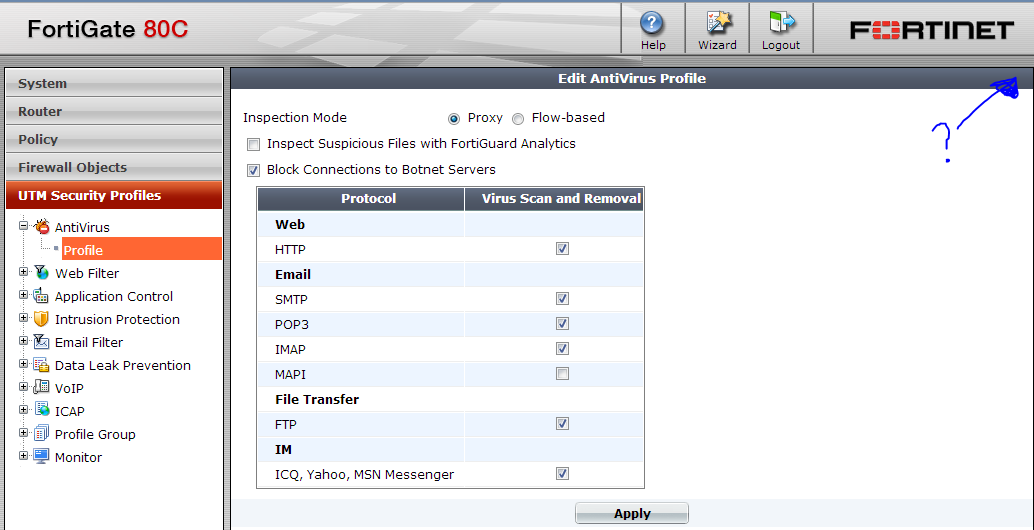
Unable to select different UTM policies in FortiOS 5.0

*Updated for 5.0.7*

I've decided to upgrade one of our FG80's to FortiOS 5.0 to give it a run. Once the upgrades were complete I factory reset the device to start fresh.

One of the first things I noticed was that there was no way for me to select a different UTM profile!

Unable to change HA mode from Standalone on a FortiGate


Today while setting up two devices in HA I noticed that each time I changed the mode from 'Standalone' to 'Active-Passive' or 'Active-Active', the config would always revert backto 'Standalone' after I applied the change.